A 2D floor plan is one of the most useful documents in architecture and interior design — and one of the least understood by anyone who is not trained to read it. Clients, buyers, and stakeholders see a grid of lines and labels. Designers and architects see a finished space. The gap between those two interpretations causes misalignment, delays sign-off, and leads to expensive surprises mid-construction.
The solution used to require expensive 3D modelling software, specialist skills, and hours of work. AI has changed that. You can now upload any 2D floor plan — hand-drawn, printed, or architectural — and receive a photorealistic 3D isometric render in under 60 seconds. This guide explains how it works, what good results look like, and the one feature that makes it genuinely powerful for professional use: applying interior design styles to the same plan.
What Is an Isometric Floor Plan Render?
An isometric render shows a floor plan from a fixed 45° overhead angle — often called a "dollhouse view" because it resembles a doll's house with the roof removed. Walls appear at realistic height, every room is visible simultaneously, and the spatial relationships between rooms are immediately readable. It is neither a photograph nor a flat diagram: it sits halfway between the two, giving the spatial clarity of a 3D model with the instant comprehensibility of a single image.
- All rooms visible at once from a single viewpoint
- Walls rendered at accurate relative heights
- Proportions and room sizes preserved from the original plan
- Natural furniture, lighting, and material detail added by AI
- No perspective distortion — every corner reads clearly
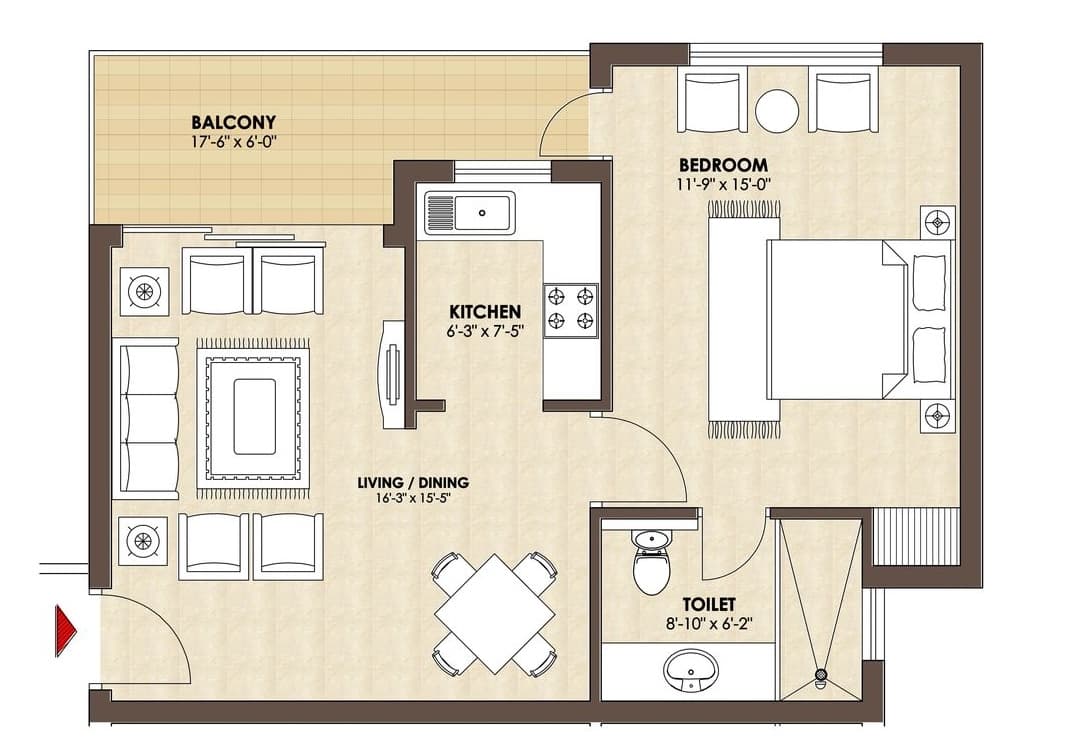 Before
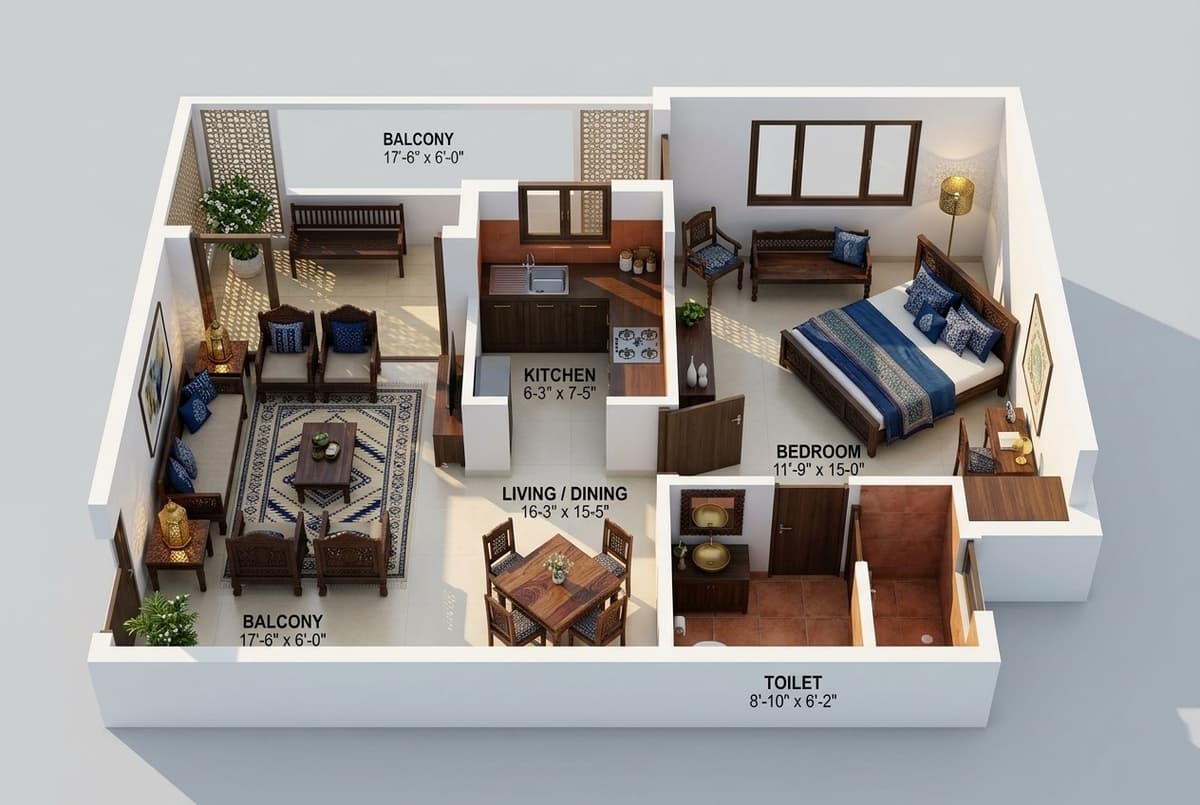 After
AfterHow to Convert a 2D Floor Plan to 3D Using AI
- Take a clear photo of your floor plan, or use a scanned PDF. The plan can be hand-drawn, printed, or digital.
- Go to InstantRoom and select "Floor Plan 3D" from the mode menu.
- Upload the floor plan image.
- Optionally, select an interior design style (Japandi, Scandinavian, Modern Luxury, etc.) to apply a styled finish to the render. Leave it blank for a neutral result.
- Click Generate. AI reads the spatial layout, interprets room positions and proportions, and produces a 45° isometric dollhouse render in 30–60 seconds.
The AI reads architectural intent: it understands which lines are walls, where doors and windows sit, and the approximate proportions of each room. It resolves ambiguities with professional judgment — where the plan is clear, it honours it; where it is vague, it makes the most sensible design decision.
The Feature That Makes This Genuinely Powerful: Applying Design Styles
A neutral 3D render is useful. A styled 3D render is transformative. InstantRoom lets you apply any of 11 professional interior design styles to the same floor plan — Japandi, Scandinavian, Coastal Retreat, Modern Luxury, Bohemian Eclectic, Industrial Loft, and more. The isometric render shows not just the layout, but what the space will actually feel like: the materials, the palette, the furniture silhouettes, the quality of light.
This matters because clients and buyers do not respond to geometry — they respond to atmosphere. Showing a floor plan in a warm Japandi finish communicates something entirely different from the same plan in an Industrial Loft scheme. You can generate both in under two minutes and present them side by side, letting the client choose a direction before a single specification has been written.
| Style | Best for | Atmosphere |
|---|---|---|
| Japandi | Residential, boutique hotels | Calm, natural, minimal |
| Scandinavian | Apartments, family homes | Light, airy, functional |
| Modern Luxury | High-end residential, show homes | Opulent, polished, dramatic |
| Coastal Retreat | Holiday homes, Airbnb | Relaxed, breezy, warm |
| Industrial Loft | Urban apartments, offices | Raw, textured, atmospheric |
| Bohemian Eclectic | Creative studios, rentals | Layered, colourful, lived-in |
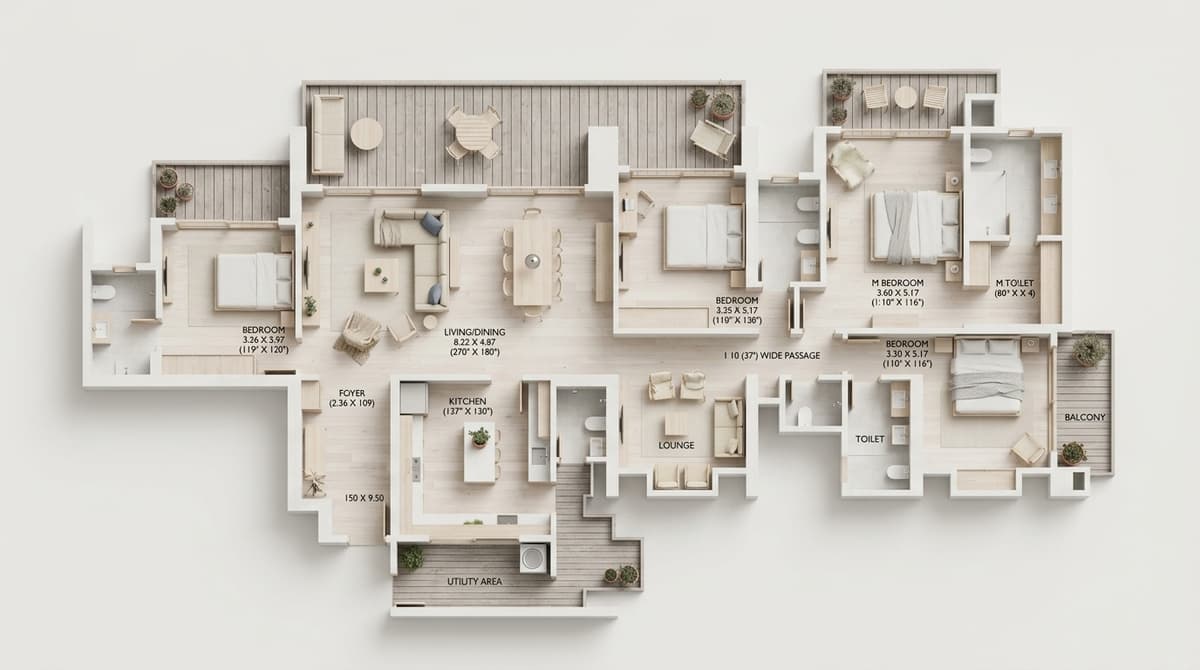 Before
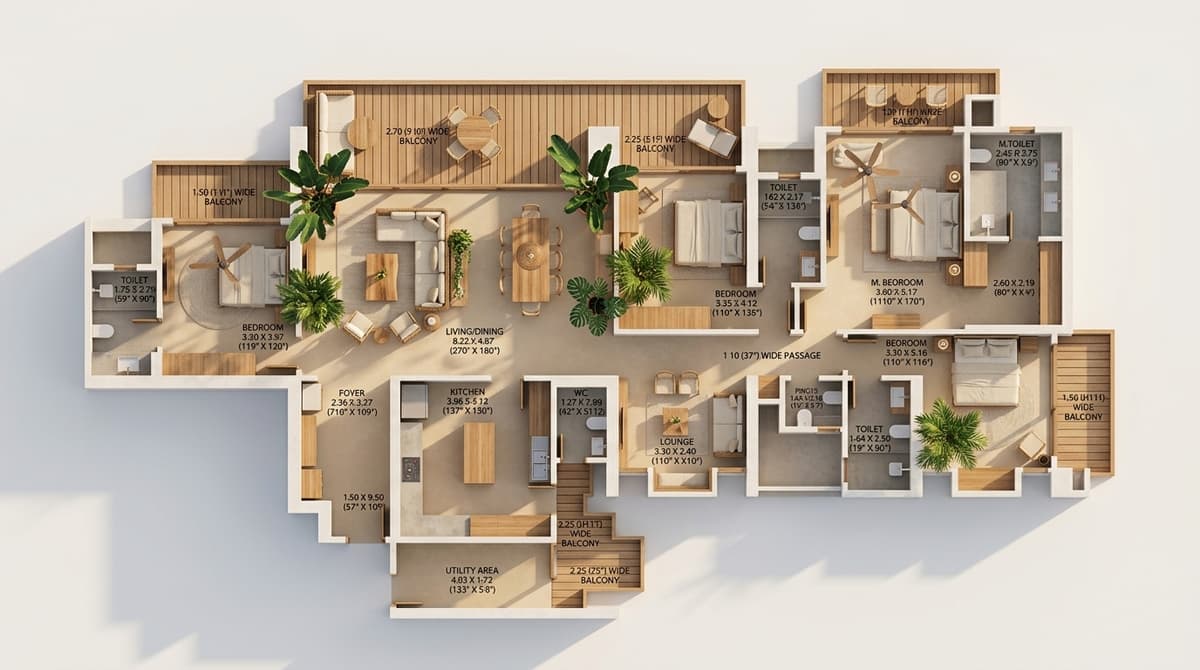 After
AfterWhat Makes a Good Input Floor Plan?
The AI is designed to handle a wide range of input quality — from rough hand sketches to professional architectural drawings. That said, cleaner inputs produce more accurate outputs.
- Clear wall lines: solid, unbroken lines for walls work best
- Room labels: text labels (Kitchen, Bedroom, etc.) help the AI assign appropriate furniture
- Contrast: dark lines on a light background, or light lines on dark — high contrast reads better than grey-on-grey
- Flat orientation: photograph the plan flat-on, not at an angle
- Single floor: multi-storey plans work best if uploaded one floor at a time
Who Uses Floor Plan 3D Renders?
Architects and Designers
Use isometric renders in client presentations to bridge the gap between a technical drawing and a client's imagination. Generate three style variants — one per design direction — and arrive at the first meeting with visuals that make decisions easy.
Real Estate Agents and Property Developers
Off-plan and new-build properties are notoriously hard to sell from floor plans alone. A styled 3D render gives buyers a concrete visual to connect with. It can be produced before construction begins, added to MLS listings, and customised to different buyer demographics.
Homeowners Planning Renovations
If you are reconfiguring a layout — knocking through walls, moving a kitchen, converting a loft — a 3D render of the new floor plan lets you see the result before committing to it. It is also invaluable for briefing contractors: a styled render communicates your vision far more precisely than words.
Floor Plan 3D vs Traditional 3D Modelling Software
| AI Floor Plan 3D (InstantRoom) | Traditional 3D Software (SketchUp, Revit) | |
|---|---|---|
| Time to first render | 30–60 seconds | 4–20 hours |
| Skills required | None | CAD / 3D modelling training |
| Cost | Free to try, from $X/mo | $300–$3,000+/year |
| Style variants | Generated in seconds | Separate manual model per style |
| Best for | Concept stage, client presentations, marketing | Construction documentation, detailed specification |
AI floor plan renders are not a replacement for detailed architectural models at the construction stage. They are a replacement for the expensive, slow, and often skipped step of producing a client-facing concept visual at the early design stage.
Try It Free
InstantRoom's Floor Plan 3D mode is available to all users. Upload any floor plan, generate a neutral isometric render or apply a style, and see the result in under 60 seconds. No account required to start.